InkTrace: Using the Jev Model to Detect AI-Written Articles in Seconds
A2Agent Team · 2026-10-16T00:00:00Z
InkTrace is a Chrome extension from A2Agent that tells you whether the article you're reading was written by AI or by a person. Click "Detect" and it sends the article to TypeSafe's Jev model, and a few seconds later you have the answer. It's free on the Chrome Web Store.
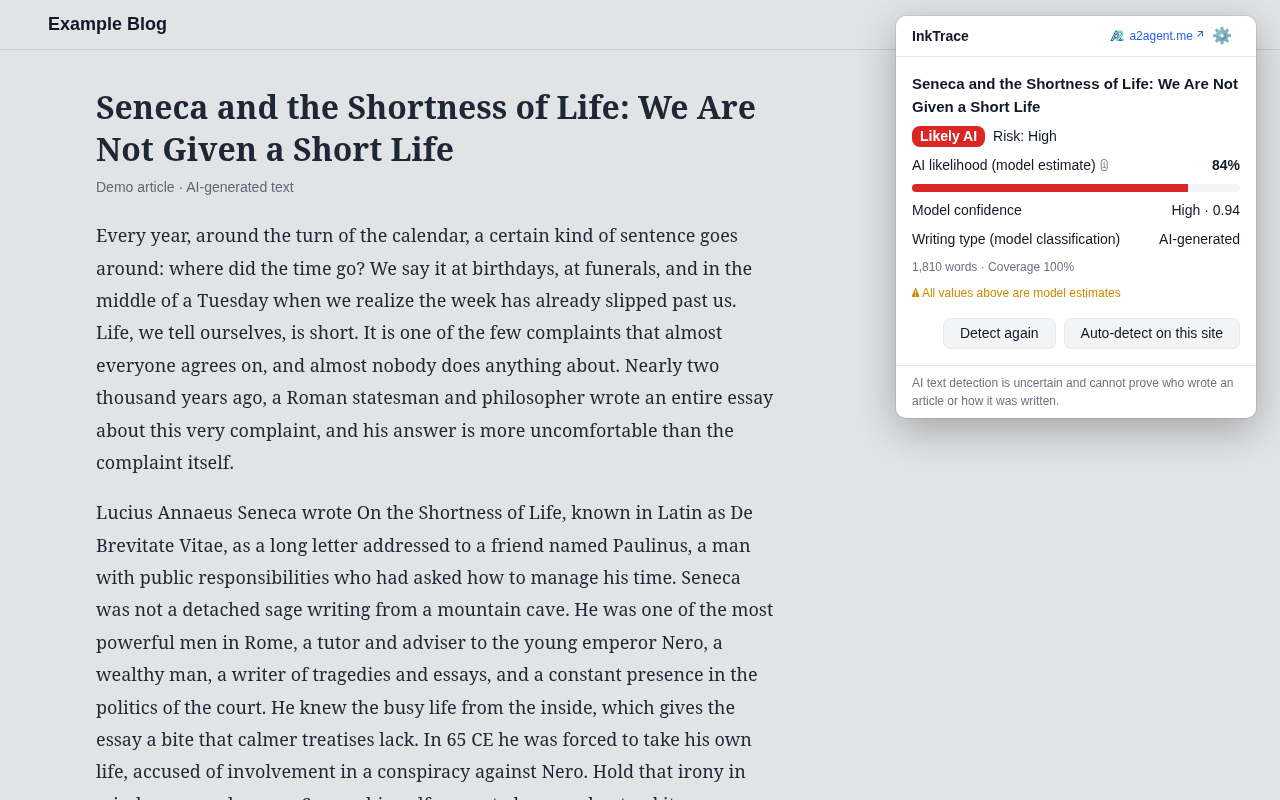
What it does
InkTrace pulls the main text out of the page you're on and sends it to Jev, TypeSafe's model for analyzing AI writing. Jev works out how likely the text is to be AI-generated, and InkTrace shows you the result:
- A verdict: Likely AI, Likely human, Mixed (part human, part AI, or AI text that's been heavily rewritten) or Uncertain
- Jev's AI likelihood score, from 0 to 100%
- A risk level: low, medium or high
- Jev's confidence and the writing type it detected
It works on English and Chinese articles on any website.
How to use it
1. Install and add your Jev key
- Install InkTrace from the Chrome Web Store. The settings page opens automatically.
- Create a Jev API key at console.typesafe.ai/keys, paste it into the "API key" field and click "Verify and save".
- Tick the privacy confirmation.
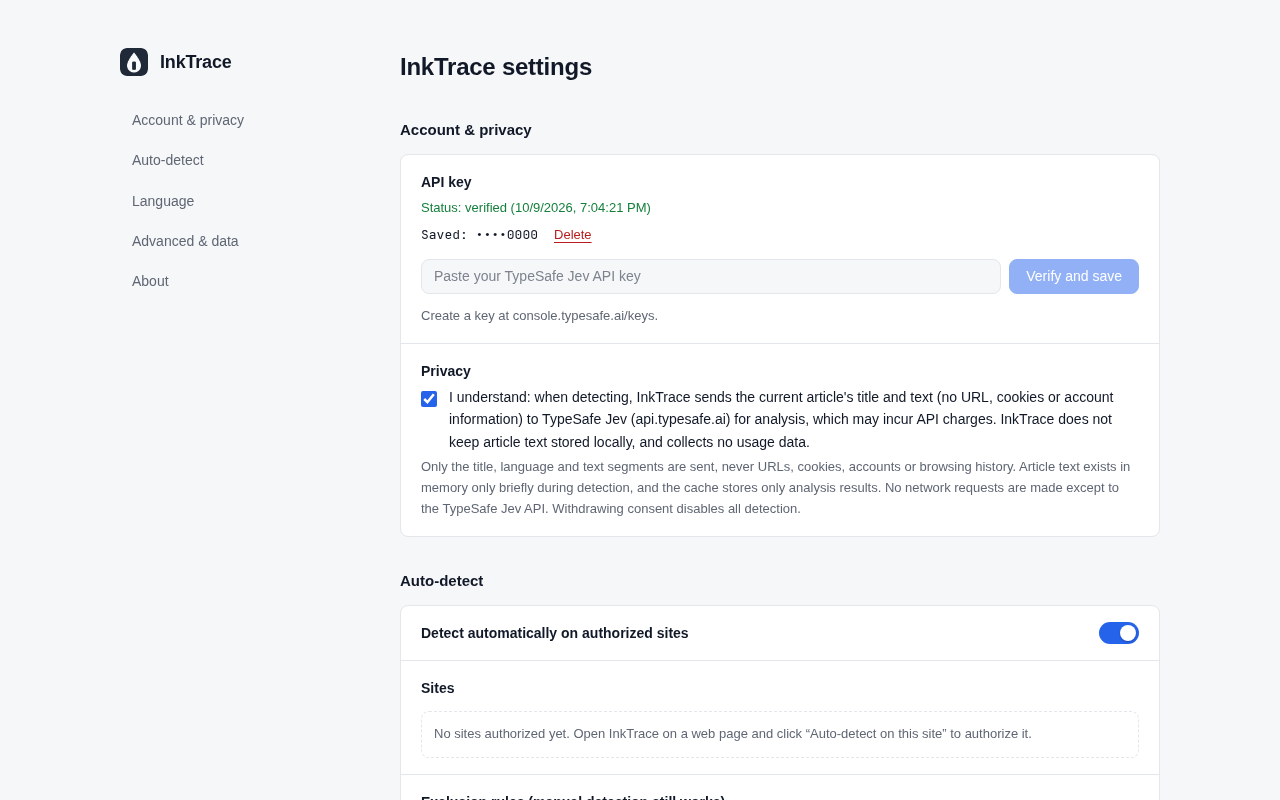
Jev bills by input token, so what a check costs depends on how long the article is. Pin InkTrace to your toolbar (puzzle icon, then the pin) so it's always one click away.
2. Detect an article
Open any article, click the InkTrace icon and click "Detect". The verdict appears in the popup a few seconds later. Checking the same article again within 24 hours shows the saved result instantly, at no extra cost.
3. Turn on auto-detection for sites you read often
Click the InkTrace icon on any page of the site and click "Auto-detect on this site", then allow it when Chrome asks. From then on, every article you open on that site is checked automatically, and the verdict shows up on the toolbar badge: AI in red, HUM in green, MIX in purple. You can pause or remove any site in settings.
Privacy
InkTrace sends only the article's title, language and text to Jev (api.typesafe.ai). It never sends the page URL, cookies, account details or browsing history, and it doesn't collect any usage data. Article text isn't stored, and your API key stays in the extension where web pages can't read it.
Try it
InkTrace is built by the A2Agent team, and we'd love for you to try it. Install it from the Chrome Web Store, add your key from console.typesafe.ai/keys, and click "Detect" on the next article you want to check.